Drafts
Where text starts. Capture first, then send the words wherever they belong.
An editor you can stand to finish in. Image from Drafts. 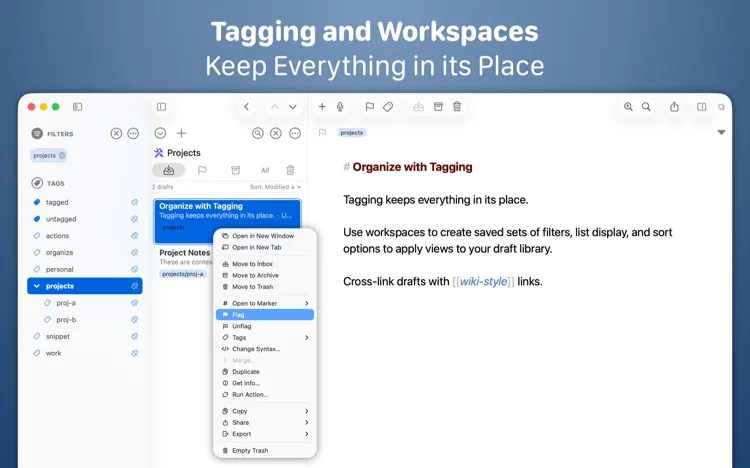
Tags and workspaces, after the sentence exists. Image from Drafts.
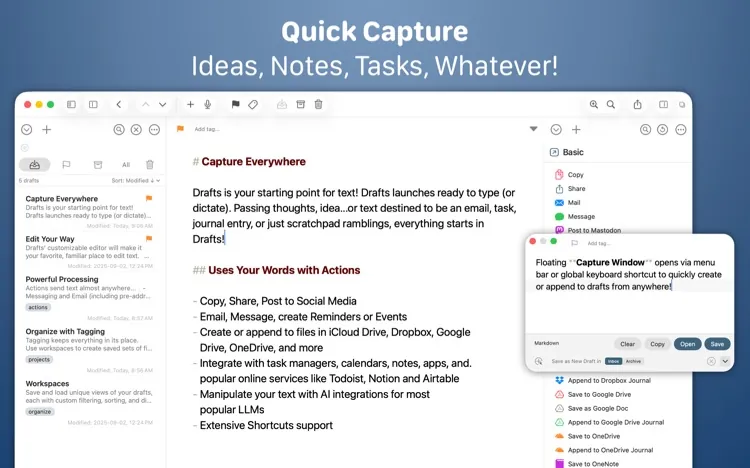
The way a good line dies is the app you have to open before you can write it down. Drafts launches ready to type. The first keystroke is the capture. Tags, a destination, and a format come after, which is the right order. The site’s line is the product: where text starts.
Actions are why it is not a scratchpad. A draft can be copied, mailed, appended to a journal, posted, or handed to a script. The Mac window shows the list, the text, and the action list at once, and a small capture window can be summoned from anywhere so you do not have to switch apps to keep a sentence. The official site describes it as a quick-capture app for iPhone, iPad, Mac, and Apple Watch.
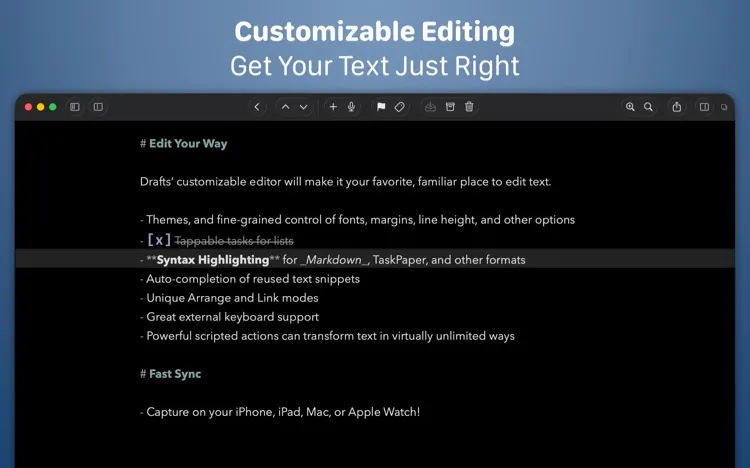
The editor is good enough to stay in. Markdown and TaskPaper get syntax highlighting. Themes, snippets, and a keyboard that behaves. Workspaces are saved views of the library, so the project drafts are not mixed with the grocery list. Wiki-style links cross from one draft to another. You capture on a walk. You finish at the desk. It is the same draft.
Buy from Drafts: getdrafts.com .